
Your Website Looks Fine. That Doesn’t Mean It’s Safe.
April 29, 2026
The Problem With “If It Ain’t Broke”
Most marketing managers focus on campaigns, deadlines, and getting new content published, not on their website’s PHP version. That’s normal. But this focus can create a blind spot. A site that seems fine can quietly build up security risks if it isn’t updated regularly.
This is not just a theory. When routine maintenance is put off, these problems really do happen. It’s one of the most common and preventable risks we see with the sites we manage.
What “Website Maintenance” Actually Means
When we mention website maintenance, we don’t mean updating text or changing a banner image. We mean the systems that keep your site running: the content management system (CMS), the plugins or modules it uses, and the server-side language, like PHP, that works in the background.
Developers regularly update each of these parts. Updates aren’t just for new features; many fix security issues. If you skip updates, those problems remain. Over time, your site becomes an easier target for attacks.
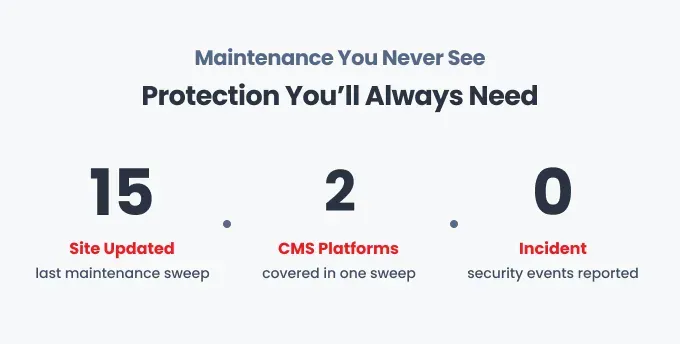
Last week, our team ran a wide security update across client sites using Drupal 10, WordPress, and Drupal 7. We also upgraded PHP in several places. This work happens quietly in the background. Most clients never notice it. Their sites just keep running.
Why Drupal 7 Sites Deserve Special Attention
Still on Drupal 7? This part is for you. Drupal 7 reached official end-of-life in January 2025. The core project no longer releases security patches for it.
Your site doesn’t have to be at risk. But now, security is your responsibility. We’ve helped many organizations move from Drupal 7 to Drupal 10, and supported others with smaller updates as they plan their transition. The longer you stay on an unsupported platform, the greater the risk.
If your organization isn’t ready for a full migration yet, that’s a conversation worth having now rather than after an incident forces the issue. In the meantime, active maintenance and careful monitoring can significantly reduce your exposure while your team plans the path forward. You can learn more about Inclind’s website migration services and what that process looks like in practice.
Five Things That Go Wrong When Maintenance Slips
You don’t need a major security breach to feel the effects of skipped maintenance. Here are some real issues we see:
- Plugin or module conflicts. An old plugin might stop working after a CMS update. Pages can break, forms might stop working, and fixing it takes longer when no one knows which versions are running.
- Performance issues. Old PHP versions and outdated caching can slow your site in ways you might not notice until you check your Core Web Vitals and see the scores dropping.
- Search ranking drops. Google considers site security and performance when ranking sites. If your site isn’t maintained, it can slip in both areas over time.
- A compromised site. Many people think this won’t happen to them, but it does. Recovering from an attack costs much more in time, money, and reputation than simply preventing it.
- A scramble before a big launch. Nothing reveals skipped maintenance like a looming deadline. If your site hasn’t been updated in months and suddenly needs new features, technical problems show up quickly.
What Proactive Maintenance Looks Like
The main difference between reactive and proactive maintenance is timing. Reactive means you fix things after they break. Proactive means you update on a schedule, watch for issues before they happen, and keep track of all your site’s components.
For most sites we manage, this means updating the CMS and plugins every month, using automated tools to monitor uptime and security, keeping off-site backups for quick recovery, and regularly checking PHP and server settings to make sure everything is supported.
You don’t need a big budget or a full IT team for this. What matters most is being consistent and having someone who keeps an eye on things.
The Real Cost of “We’ll Deal With It Later”
A security problem on an important website can lead to days of downtime, lost user data, damaged trust, and emergency costs far exceeding a year’s worth of regular maintenance. Preventing issues is clearly the better deal.
When your team is already busy, the last thing you need is a website emergency taking everyone away from their main work. Routine maintenance might not be flashy, but it’s one of the smartest investments a small marketing team can make.
Not Sure Where Your Site Stands?
If you’re not sure when your site was last updated, what PHP version it uses, or if your plugins need security patches, now is a good time to find out. We offer a free website security health check for organizations that want a clear starting point before deciding on support.
MORE NEWS
